Bring your content
Paste a prompt like "Algebra basics for grade 9, 10 multiple-choice questions" or upload a PDF of the chapter, training deck, or article you want to test on. Formester reads it and pulls out the facts worth testing.
Create quizzes faster with AI. Just enter a topic and our AI quiz generator will generate questions, answers, and scoring for you.










Create quizzes with confidence. Formester is rated highly across leading review platforms for its AI quiz generator, ease of use, and automatic scoring features.






Built for anyone who needs fast, reliable, professional quizzes without manual work.
Upload a chapter PDF or paste your lesson outline, and Formester drafts a graded quiz that maps to what you actually taught. Auto-score it, turn on answer validation so each wrong answer comes with a hint or explanation, and watch the dashboard for the kid who is falling behind in week four, not week fourteen.
Lead-magnet quizzes that score the visitor, route them to a result page with their outcome, and drop the qualified lead into HubSpot, Salesforce, or Mailchimp via the integrations Formester ships with. Apply your branding kit, split-test the result-page copy, and watch drop-off by question in the analytics view.
Onboarding knowledge checks, annual compliance refreshers, and policy-comprehension tests that prove people read what you sent. Formester tracks attempts, time spent, and passing scores per hire, with conditional-logic branching so a missed question routes the employee back to the right policy doc before they retake.
Pre-call diagnostics, personality-style intake quizzes, and progress check-ins. Outcome logic routes each client to a custom result page with their own image, copy, and next step, and responses sync into your CRM so you walk into every session already briefed on what they answered.
Generate a diagnostic quiz from a prompt that names the course topic, a module check from each chapter PDF, and a final summary quiz from the whole syllabus. Mix scored and outcome logic so the same quiz grades knowledge and routes students to the next module based on what they got wrong.
Set a max number of submissions, a close date, or a passing-score cutoff that hides the quiz after it is met. Useful for timed tests, first-100-respondents lead gen, and waves of training that need to end on a specific day. Learn about form limiter →

Every published quiz ships with a QR code. Print it on a handout, put it on a slide at the back of the room, drop it in an email footer. The QR links to the same takeable quiz as the share link. Learn more about QR code generator →

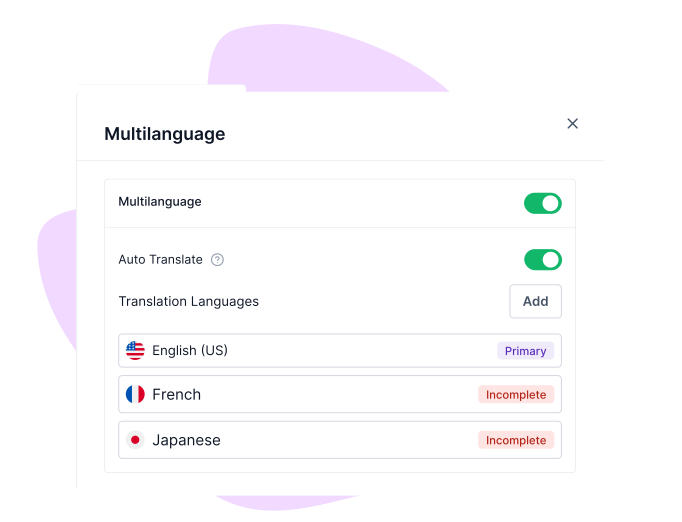
enerate a quiz in English, then publish localized versions in additional languages with AI translation, without rewriting the logic. Scores, outcomes, and analytics merge across languages so you're reporting on one quiz, not many. Learn more about Multi-language translations →
Install the Formester app on a laptop, tablet, or phone and the quiz works without a connection. Responses cache locally, and the moment the device reconnects, every submission syncs into the dashboard automatically. Useful for fieldwork, on-site events, or training rooms with bad wi-fi. Learn more about Offline forms →


"Formester is really easy to use and an exceptional alternative for Typeform. We use it for call for papers, lead registrations, feedback and surveys a…"
"Tried like 4 quiz tools for our lead gen funnel before this and honestly this is the only one I didn't end up hating. AI did most of the work and the …"
"Very intuitive and the surveys look genuinely professional out of the box. Most importantly, I requested a custom rating scale and they shipped it wit…"
"Formester is simple enough for non-developers and sophisticated enough for developers. I'd say being able to choose between simplicity and complexity …"
"I'm migrating my forms from Paperform, where I've been a user for over 4 years. Loving the software so far! I've already replaced Paperform form embed…"
"Formester AI form builder has lots of customisation options. It's very easy to generate online forms. Forms generated are also very user friendly it s…"
Or try the generator above first, no sign-up needed.
Find answers to common questions below, or reach out to our team for more help.